
TestFit MCP is currently only available for the desktop application. Web functionality is not available at this time.
Before connecting to a specific LLM you'll need to begin the connection in TestFit.
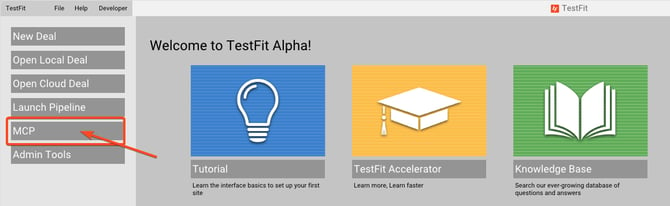
Make sure your AI program is closed, launch TestFit, select MCP from the left side of the homescreen:
The TestFit MCP dialog box will open:
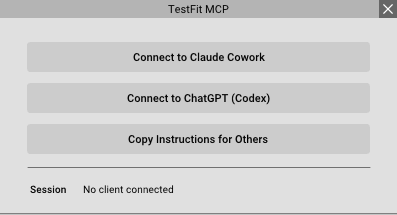
Below are detailed instructions on how to connect to the LLM's
Connecting to Claude Cowork
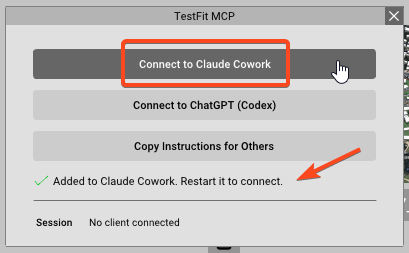
Select Connect to Claude Cowork and note the Added to Claud Cowork. Restart it to connect message. Launch or restart Claude.
Make sure Claude Cowork is enabled.
It is recommended, but not mandatory to set the approval option to Skip all approvals.
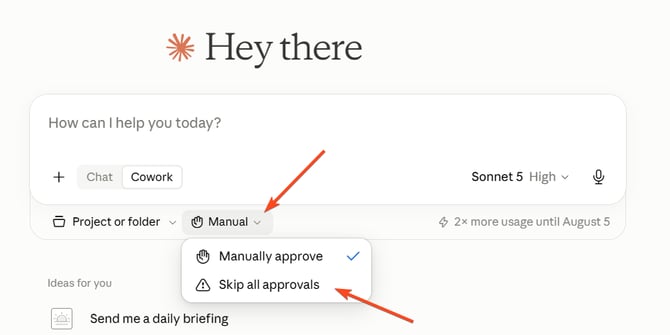
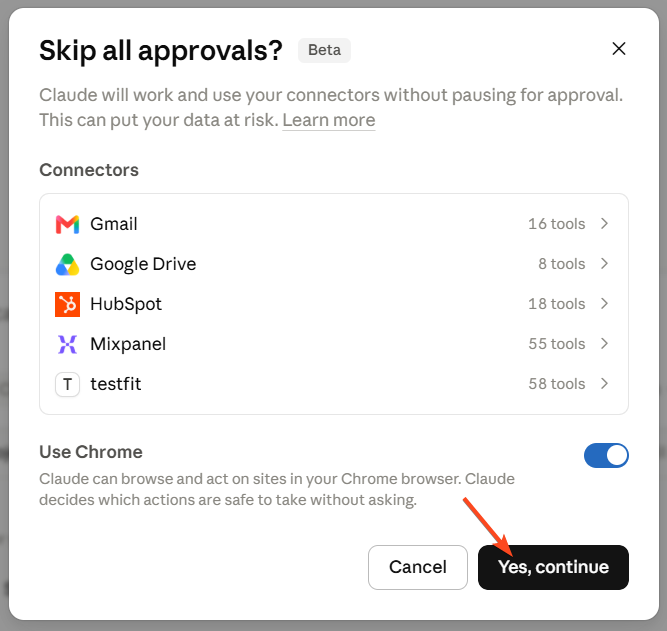
TestFit is now connected to Claude Cowork and you're ready to begin prompting a in a new session.
Connecting to ChatGPT Desktop App (Codex)
Click Connect to ChatGPT (Codex)
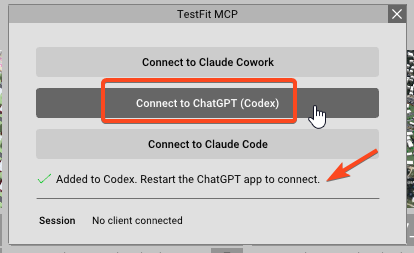
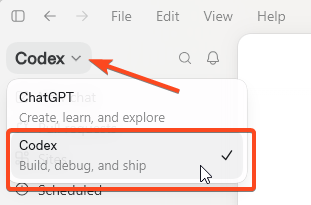
Launch ChatGPT and make sure Codex is enabled.
Restart your ChatGPT desktop application. In a new chat use the Prompt "Connect to TestFit MCP"
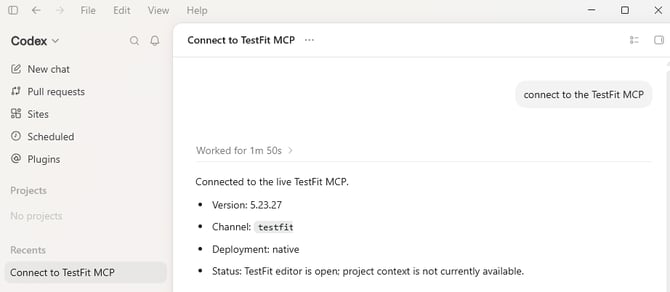
TestFit is now connected to ChatGPT Codex and you're ready to begin prompting a in a new chat.
Copy Instructions for Others
The Copy Instructions for others - offers the ability to connect TestFit MCP to other local CLI based LLM's.
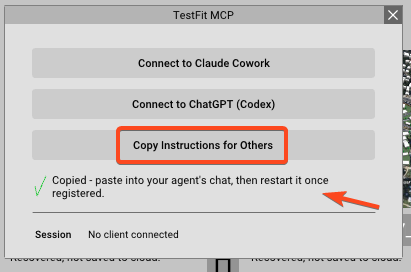
In a new chat, paste the prompt that was copied and follow any instructions you are given.
The copied prompt can also be found here:
Register a user-scoped MCP server named "testfit_alpha" so you can control TestFit,
using your harness's own config mechanism. For example, in Claude Code:
claude mcp add --scope user testfit_alpha -- "C:\Program Files\TestFit\testfit_alpha\mcp-broker.exe" --channel testfit_alpha
In any other harness, register command "C:\Program Files\TestFit\testfit_alpha\mcp-broker.exe" with args "--channel testfit_alpha"
however works.
Most harnesses only load MCP servers at startup and can't reload themselves -
so once it's registered, tell me to fully quit and restart you.