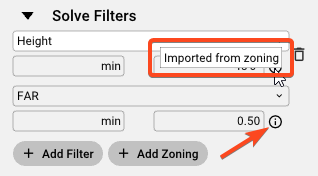
Once a site is created, if local zoning is available (provided by Zoneomics), values will automatically be added into your Solve Filters.
Should additional filters be required, The + Add Filter button can be pressed to add additional solve criteria.
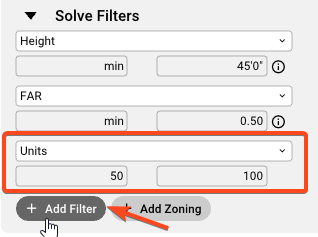
Minimum and maximum values can be set to restrict the solves below in the All Solves list. In the example above a minimum of 50 units will be included while not surpassing 100 units.
Filters can be removed if the constraints are too limiting within the provided site by clicking on the trash can icon at the end of any filtering metric.
List of Solve Filters:
-
Units
-
Avg
-
Parking Ratio
-
NRSF
-
EFF%
-
FAR
-
Height
-
DU/AC
-
Stalls
-
Critical Power
-
Parcels
-
Cut
-
Fill
-
Earthwork Costs
-
Earthwork Total
Solve Filters for Custom Pro Forma Outputs available in the web only:
-
IRR
-
NOI (Stabilized)
-
Cap Rate
-
Total Costs
-
Value (Disposition)
-
DSCR
-
Cash-on-Cash
-
Yield on Cost
-
NPV
-
Equity Multiple
-
Custom Output
Note: The Custom Pro Forma add-on must be included in your subscription to set and edit the Custom Pro Forma Outputs within your pro forma. You can assign a default custom pro forma for your organization as well as adjust the referenced proforma as indicated below.
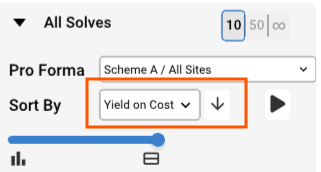
Filters can be used to sort solves by selecting the appropriate filter and the order (ascending/descending) to display solves.