To apply live linked quantities to a cell in the financial model, select the TestFit Tab.
Next, select Show Quantities.
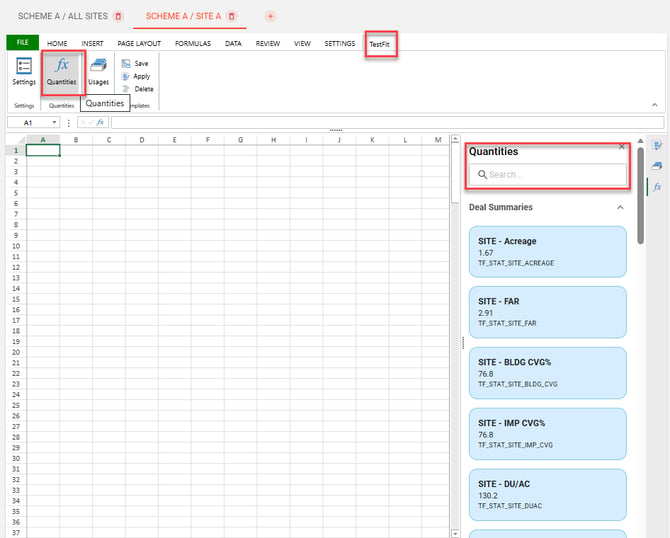
You can apply quantity takeoffs to the selected cell in the financial model by clicking on the quantity.
Note, there are Deal Summaries and Quantity Takeoffs. Deal Summaries are values from the Tabulation tab in the TestFit model. Quantity Takeoffs are values from the Quantity Takeoff list.
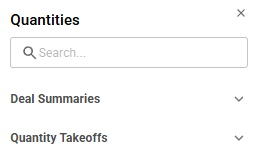
If you select the search icon, you can type in the type of quantity you would like to select and then apply to the cell.
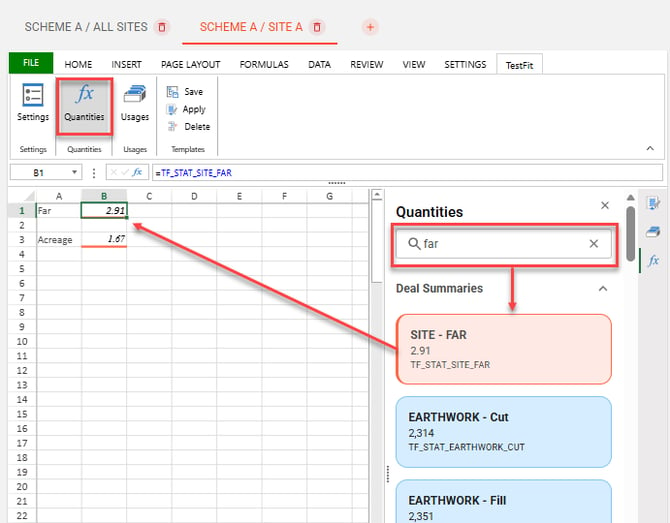
Once a value is selected and placed in a cell, it will move from a blue color to a light red color. Cells with TestFit quantities will have an orange bottom border as indicated above.
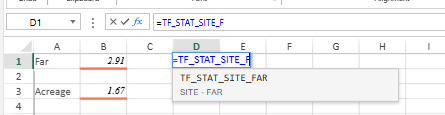
Note, the TestFit value indicated by "TF_" can also be manually typed into a cell by typing "=TF_" and the appropriate name of the value.