
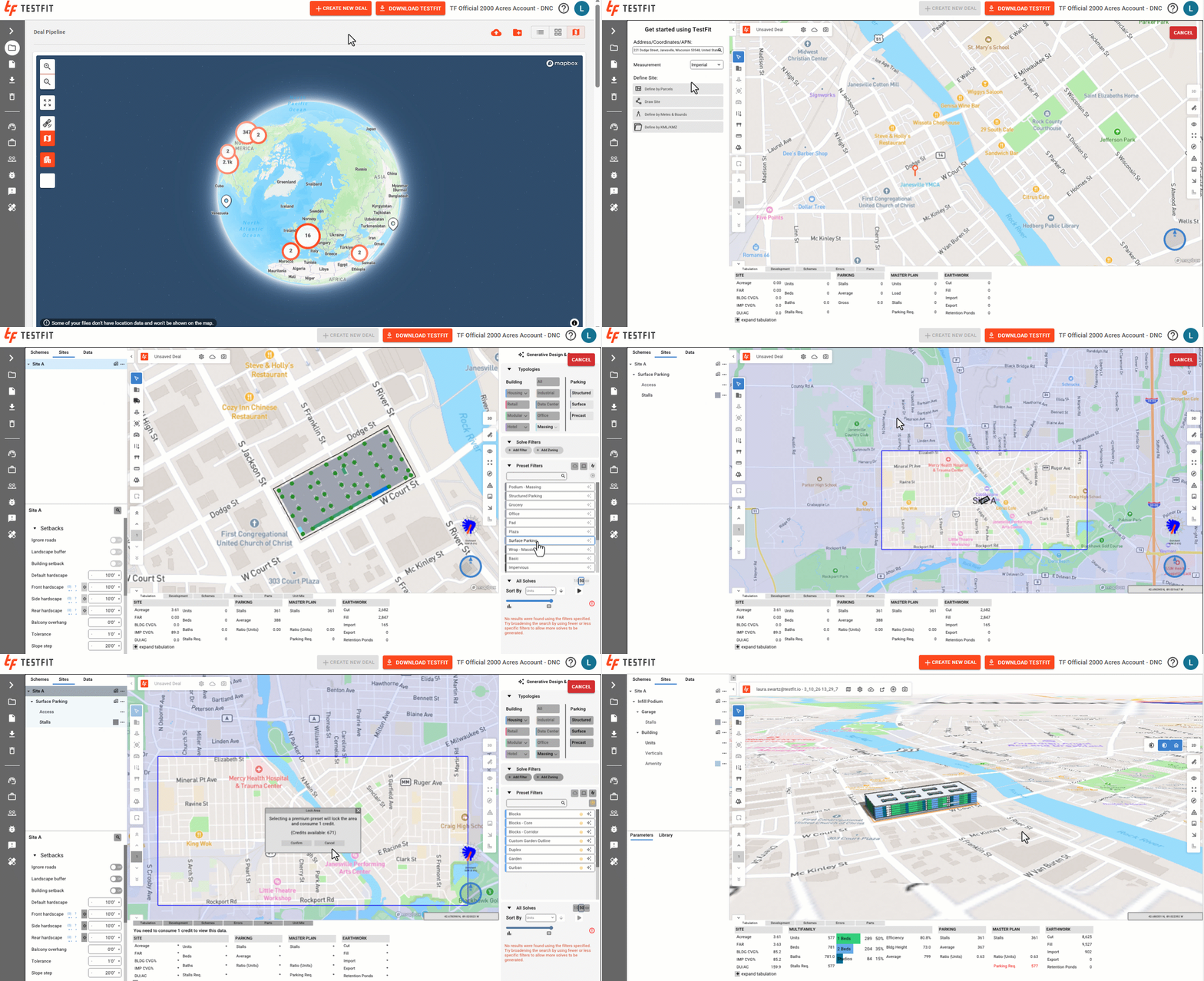
- Launch the web app at app.testfit.io.
- Click on + Create New Deal.

- Locate the site utilizing the Address/Coordinates/APN search tool.
- Define the site using one of the Site Tools. Here is an article further outlining how to create a site.
- Apply a basic or premium preset to the site. Note, you will be prompted to lock the deal boundary area and consume a site credit if you utilize a premium preset. If applying a premium preset to a site, ensure the deal boundary area covers the extent of your site. Here is an article further outlining the steps to define a deal boundary area.
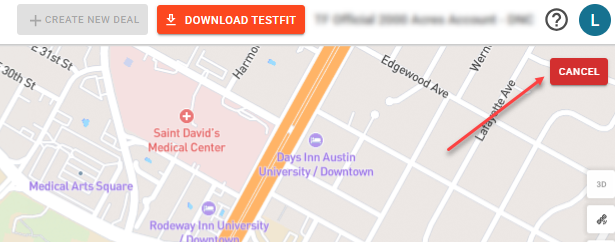
- Deals will automatically be saved after 5 minutes after creating the new deal. However, you can cancel the deal within those 5 minutes if you have not yet locked the deal boundary area and consumed a credit.
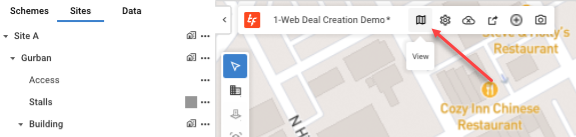
- To exit the Web Editor, click on the map icon in the navigation ribbon.
- Note, deals created in the web will be saved in the latest version of TestFit. If your desktop version of TestFit is out of date, you will need to update to the latest version to open the file using the desktop application.